Mr. StokesProduct Designer

Pixel & Android Intelligence

Leading the design and integration of intelligence efforts across the Android system—screen context, input, text and image intelligence.

Intelligence should feel inherent to the system, not bolted on. Features process data locally within Android's Private Compute Core, maintaining strict privacy boundaries while enabling deep, OS-level personalization. The primary design challenge is making ML-powered predictions feel reliable, controllable, and genuinely useful, shifting the paradigm from manual operation to human-on-the-loop supervision.

Year2019–Present
RoleStaff Designer, Lead
PlatformSystem Intelligence
DomainContext Understanding, App Functions, Visual Intelligence

System-Level Intelligence & Private Compute Core

We moved beyond app-specific features to OS-wide capabilities. By leveraging the Private Compute Core (PCC)—a secure, isolated environment within Android—we designed a system where screen context informs available actions and input methods adapt dynamically. Features like Live Caption, Smart Reply, and Screen Attention process ambient data directly on the device. The system learns patterns locally, ensuring sensitive context never leaves the hardware without explicit user consent. This architectural separation builds the foundational trust required for an intelligent OS.

LOCALSENSINGCLOUDISOLATIONSECURE SANDBOX COMPUTE CORE

On-Device Architecture // Private Compute Core

Raw physical inputs are securely routed to the Private Compute Core sandbox for local processing. Sensitive models compute actions entirely within hardware limits, ensuring external network interfaces are strictly isolated and never receive user data.

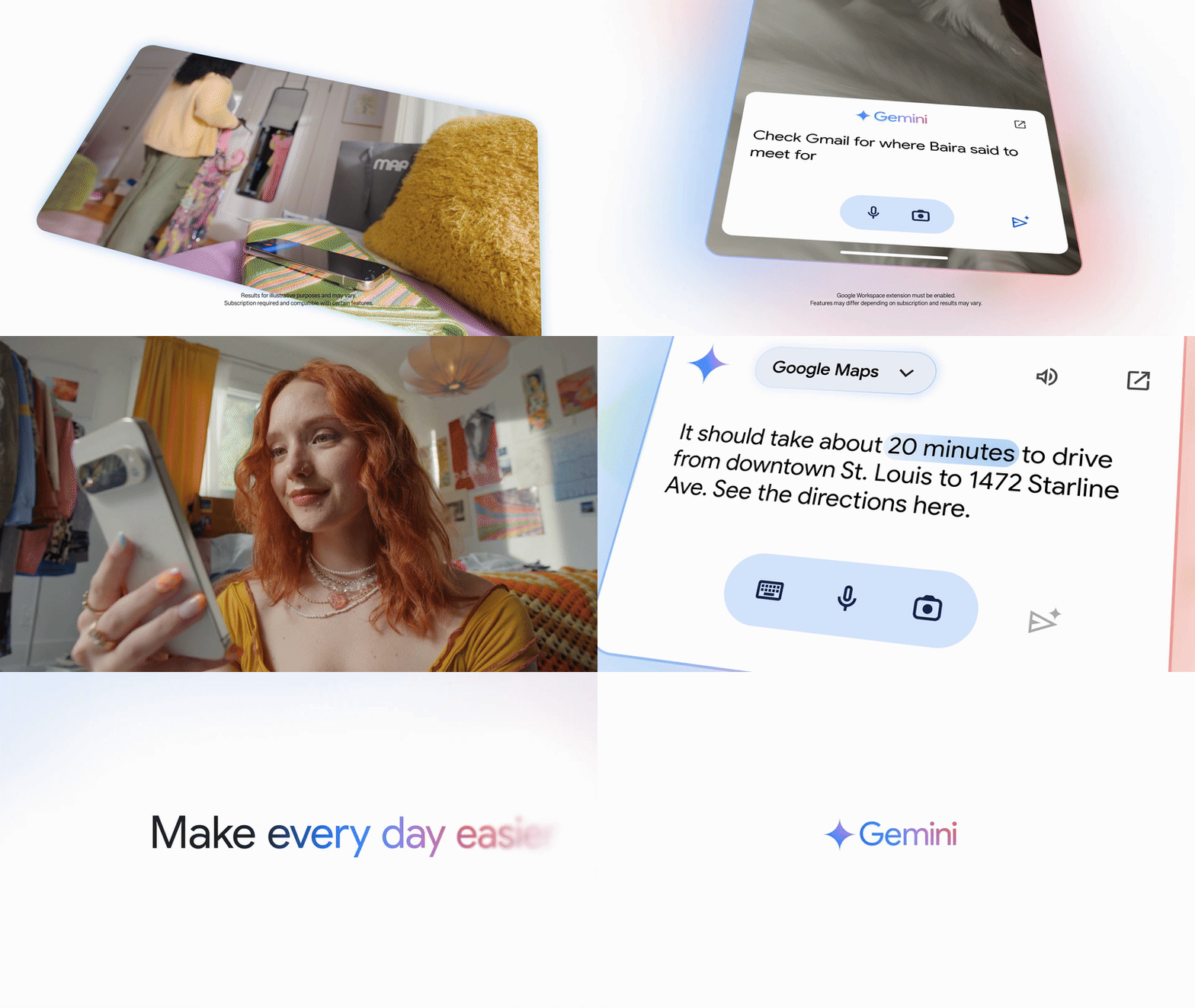
App Functions & Gemini

App Functions shifts the paradigm of mobile assistants from conversational chatbots to proactive system agents. Operating entirely within Android's Private Compute Core, this capability allows on-device models like Gemini Nano to interact with native applications on the user's behalf. Rather than merely answering static questions, the assistant can execute multi-step operations—such as composition, scheduling, or real-time UI reflows—directly across different app sandboxes.

As a Staff Product Designer, my focus was on defining the interaction primitives that govern this automation, ensuring the agent operates with absolute predictability and trust.

PROMPTINPUTIMMEDIATEREFLOWSUB-10ms DIRECT MORPH

01 // Zero-Latency Execution

Because the tool execution occurs entirely on the physical device rather than the cloud, we eliminated the latency of server roundtrips. This structural speed allowed us to design incredibly fluid, synchronous visual transitions that feel like a natural extension of the user's thought.
OBSERVABLEPREVIEWEXPLICITCONSENTSKIPRUNHUMAN-ON-THE-LOOP CONTROL

02 // Supervision Gate

By shifting the paradigm to a human-on-the-loop supervision model, we designed observable execution previews that give users clear visibility and explicit control over the agent's actions before they occur, demonstrating how complex system capability and privacy can be elegantly co-designed.

View Interactive AppFunctions Playground & Demo →

Gemini Teamwork Animation
Fig. 01App Functions enables real interaction through observable execution flows.

Context Understanding

Through the Content Capture API, the system analyzes on-screen content to surface relevant actions without requiring explicit user queries. However, user trust remains paramount. We designed the architecture to automatically recognize highly sensitive contexts—like banking apps, password managers, and private browser tabs—ensuring they are strictly excluded from AI analysis without requiring user intervention.

OBSERVEDCONTEXTAUTOMATICREDACTIONREDACTEDEXTRACTING CONTEXTINTENT-BASED SECURITY FILTERING

Heuristic Policy // Secure Context Exclusion

The platform dynamically partitions rendering hierarchies. When high-security text fields or system flags are active, the intelligence engine automatically masks these regions from the observation buffer, safeguarding passwords and financial tokens.

Defining Interaction Primitives

As a Staff Designer, my focus shifts from designing discrete screens to defining the core interaction primitives that other feature teams build upon. For Android Intelligence, this meant establishing cohesive design patterns for how ML surfaces contextually across the OS. By leading the design architecture—rather than just the visuals—I ensured that our privacy-first models and human-on-the-loop paradigms felt consistent, reliable, and native whether you were typing on a keyboard, sharing an image, or swiping through the system UI.

DIVERSESURFACESUNIFIEDORCHESTRATIONACTION CHIPKEYBOARD SUGGESTSHARED SYSTEM PRIMITIVE ENGINEMULTI-SURFACE INTENT RESOLUTION ENGINE

Design Primitives // Unified Orchestration

Instead of designing isolated visual experiences, the interface relies on unified, system-wide interaction models. A single shared intent resolution primitive drives contextual actions consistently, whether surfacing in smart keyboard text suggestions, floating action chips, or notifications.
Android Context Recognition Demo
Fig. 02Screen context informing available actions while respecting strict privacy boundaries.