Case study
Wayfinder
A generative interface system that composes the smallest useful screen from a governed visual language, proven in a native Android runtime.
Wayfinder is a personal project about one problem: a capable agent can hide a big decision behind one confident button. Wayfinder answers it by building the screen a moment needs from known parts, for one person, one device and one moment, and by building the oversight into that screen before anything is drawn.
It builds from a kit designers already know
Wayfinder does not draw new interfaces. It picks from a kit of components, patterns, behavior rules and shared visual styles, and designers can see everything in that kit and change it. The shared manifest lists 140 building blocks in nine groups.
To build a screen it weighs four things: what you want, what it knows, how much attention you can spare, and the device in your hand. Then it picks the useful parts and fits them to that screen. A request becomes a plan; the plan is checked, drawn, acted on, and closed with a receipt that shapes the next request.
The same information had to work at every size
The same system runs across a family of design-study devices: Wayfinder 2 and Wayfinder 3, the Dial, Canvas and Buds, each with its own job. The same information can become a glanceable complication, an open working surface, a research canvas or a quiet audio response. Density changes; meaning, state and provenance do not.
The device sets the space and the controls. The moment sets how much attention it is fair to ask for. When those limits tighten, parts drop out or rearrange instead of everything shrinking. A smaller surface shows less, not smaller: one useful state, one clear action and one clear consequence.
Cairn, a card-sized e-paper device, runs its software on this same engine.
Evidence decides how much checking an action needs
The compositor ranks every candidate part by how important it is, how well it fits the task, and how much real data is behind it. A map can matter and still drop down the list when the data behind it is thin.
The same evidence sets the oversight. A reading that would not ask anything on its own changes when two booking records disagree: the minimum rises to Review, and nothing else can lower it while the records conflict. There are five levels. Silent and Ambient never stop you. Glance commits with one tap. Review asks you to arm the action, then confirm. Hold stays locked until you look at the conflict.
Voice sets intent, touch manipulates, the crown commits
Each input has one job. Voice establishes intent, constraints and edits. Direct manipulation controls continuous values and selection. A physical crown, or an explicit equivalent, commits anything consequential.
The oversight rule is a contract across inputs: touch, voice, dial and gaze all have to keep the same Review step, even though some are further along than others. A receipt only appears once the transaction itself reports back, so an animation or a local toggle can never suggest that something external happened.
Every claim on screen carries its sources
The compositor never asks a renderer to invent product facts. Evidence resolves into versioned source records and derived claims before anything is drawn, and every derived claim names its source IDs. Missing, stale or conflicting evidence becomes a visible blocked state and cannot authorize an external action.
Before you say yes, you need to know where the information came from, how confident the system is, and where sources disagree. The Android build shows some of the source and uncertainty today; conflict hatching and evidence ticks are still design work.

One oversight decision, computed once
Shared Kotlin code decides the oversight level. Every renderer receives that answer and cannot change it, and the plan is checked before any renderer sees it. In one test the booking safeguard is removed from a recorded plan, and the Kotlin checker refuses the plan before anything can draw it.
Because the decision is made once, the look can change without the behavior changing. Wayfinder's own style and Google's Material 3 Expressive both draw the same checked triage. Content, state, oversight and accessibility stay fixed; components, shapes, motion and layout can change. Both run in the Android demo app.
The proof runs as native Android code
The work extends Android instead of replacing it. Android and Material provide the components, platform behavior and accessibility; Material 3 Expressive provides the look and motion. Wayfinder adds the kit, the evidence, the oversight and the checks that agent tasks need.
I started by defining attention, component and motion rules, device profiles and oversight limits. Those became versioned contracts, a Compose kit and the Kotlin compositor, which turns a request and its evidence into a checked plan. I built it with two interchangeable AI coding harnesses, moving between them for planning, building and review. Each fresh pass found gaps, so the checks and visual reviews became part of the workflow.
At the July 2026 release candidate the contract defined 140 primitives, 100 adapters and 10 recipe families, checked against a 13,200-case composition matrix. Renderer instrumentation passed 31 of 31 tests on a Pixel 10 Pro emulator, and nine journeys were qualified across three device layouts, including travel continuity, household, triage and reply.
Say what you want, and the screen forms
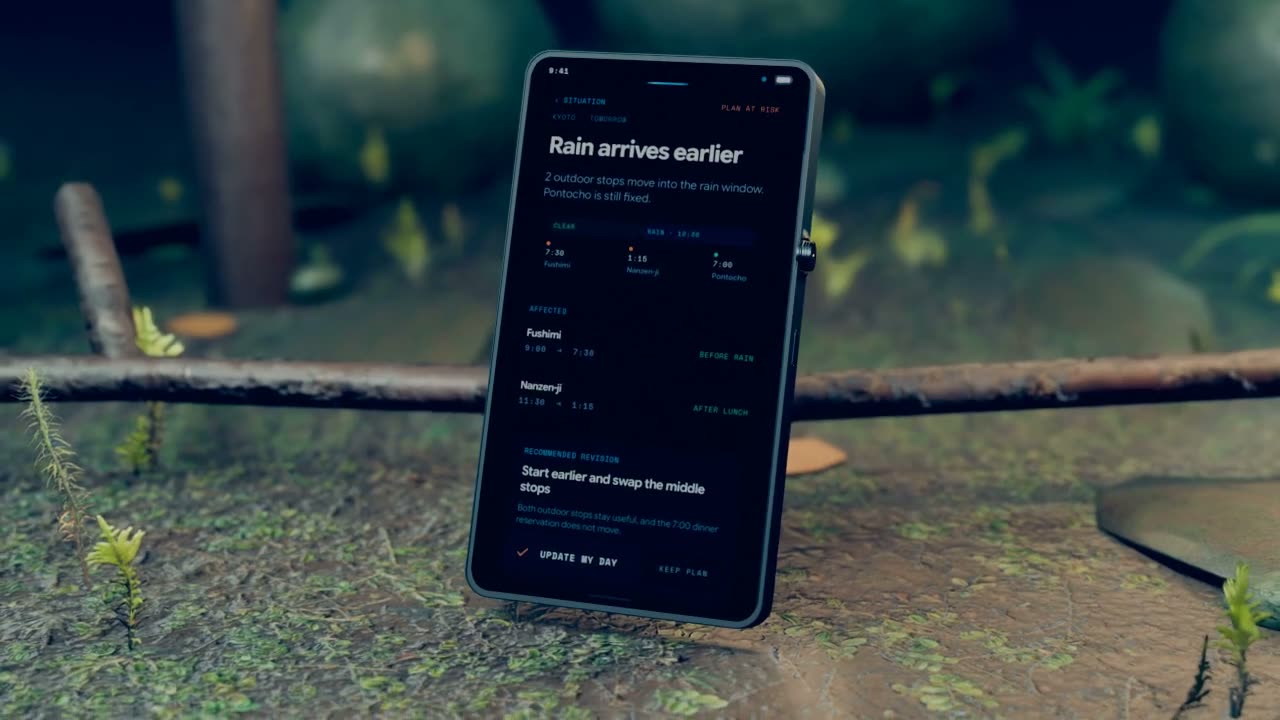
Five starting points show the whole path: a brief, a reply, family plans, a live task and triage. Each goes through the Kotlin compositor and checker, and Android draws the interface and its motion. The longest flow runs in one piece: it starts in a document, the agent suggests a reservation, review takes two taps, a receipt comes back, and so does the document.
What it does not claim
The release candidate proves the Android runtime and presentation pipeline on controlled software surfaces. The films are offline renders, not captures from live devices: the device, screens and scenarios are design studies, and the compositor and the Android build are the real parts. The crown, display optics, thermals and input latency are unvalidated, and the inputs and service replies are scripted.
The full walkthrough, with narration across 26 beats, is in the Wayfinder presentation.